Update Role Permissions
In the Accounts module, you can update the permissions associated with existing roles to align with changing responsibilities or system access requirements. Each role can be configured to have different levels of access (Read, Create, Update, Delete) for specific system modules. Updating permissions ensures that users with assigned roles have appropriate access to perform their tasks.
To Update Role Permissions
- Go to Accounts > Roles & Permissions.
- Click Update on the role you want to modify.
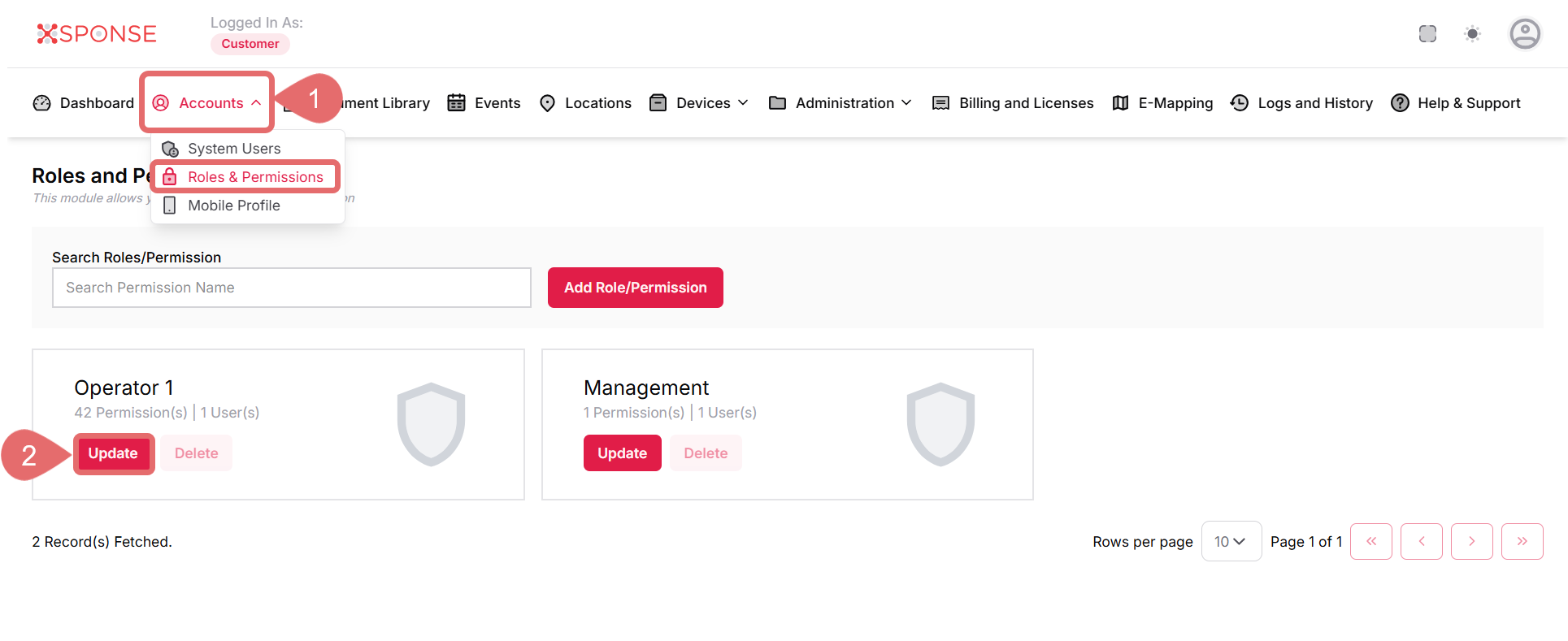
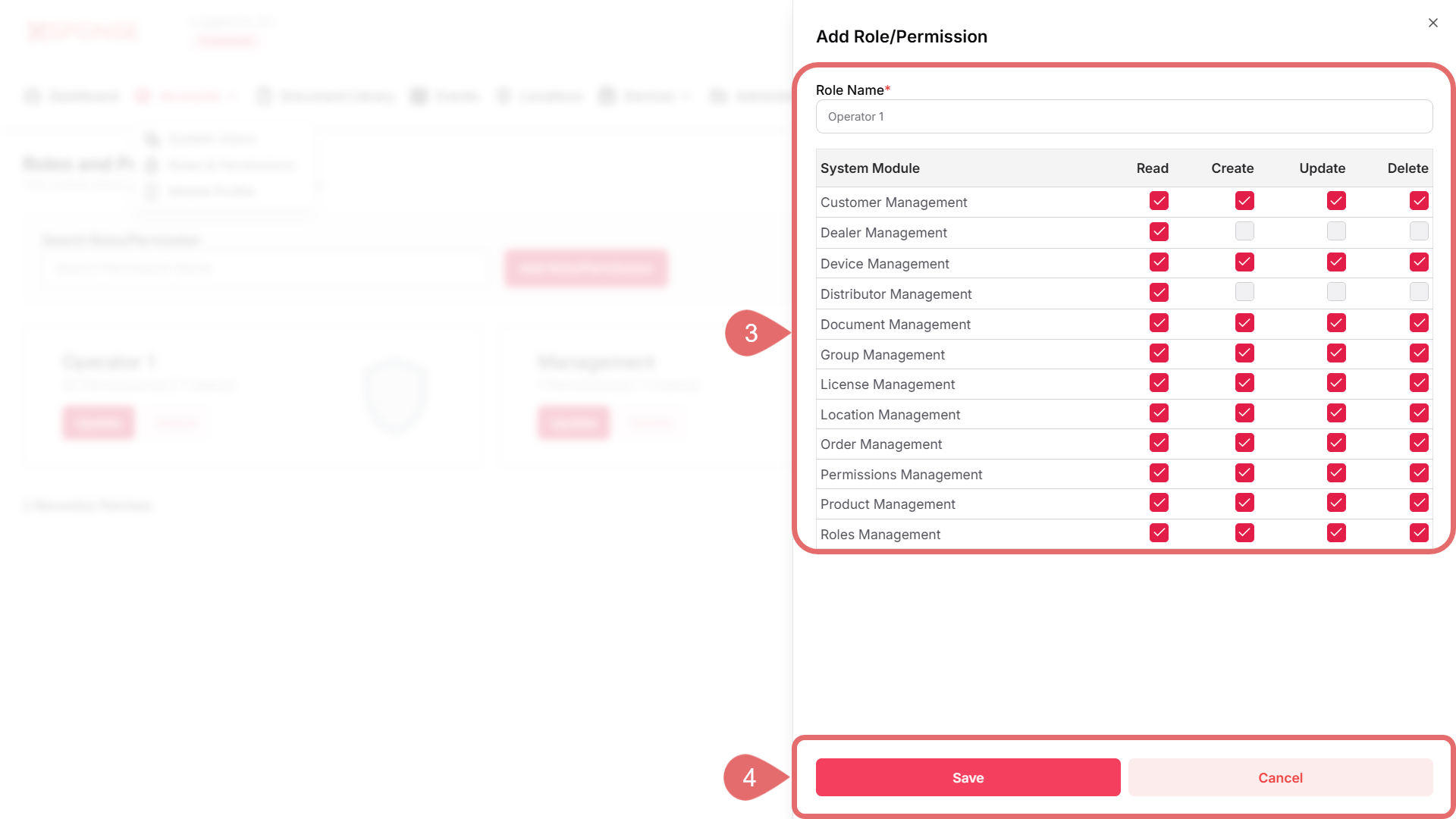
- In the Update Role/Permission dialog, review the following fields:
- Role Name: Displays the current name of the role. You can update the name if needed.
- System Module Permissions: Check or uncheck the boxes to allow or restrict access to specific modules. Available permission types include:
- Read: Allows viewing data in the module.
- Create: Allows adding new data.
- Update: Allows editing existing data.
- Delete: Allows removing data from the system.
- Click Save to apply the changes or Cancel to discard them.
Once updated, the new permissions will immediately affect all users assigned to the role.
See Also
To complement your knowledge of this process, check the following pages: